How to Learn Coding for Free (Complete Beginner Guide)
The FreeWebCart editorial team researches and verifies every free-course coupon and guide published on the site.
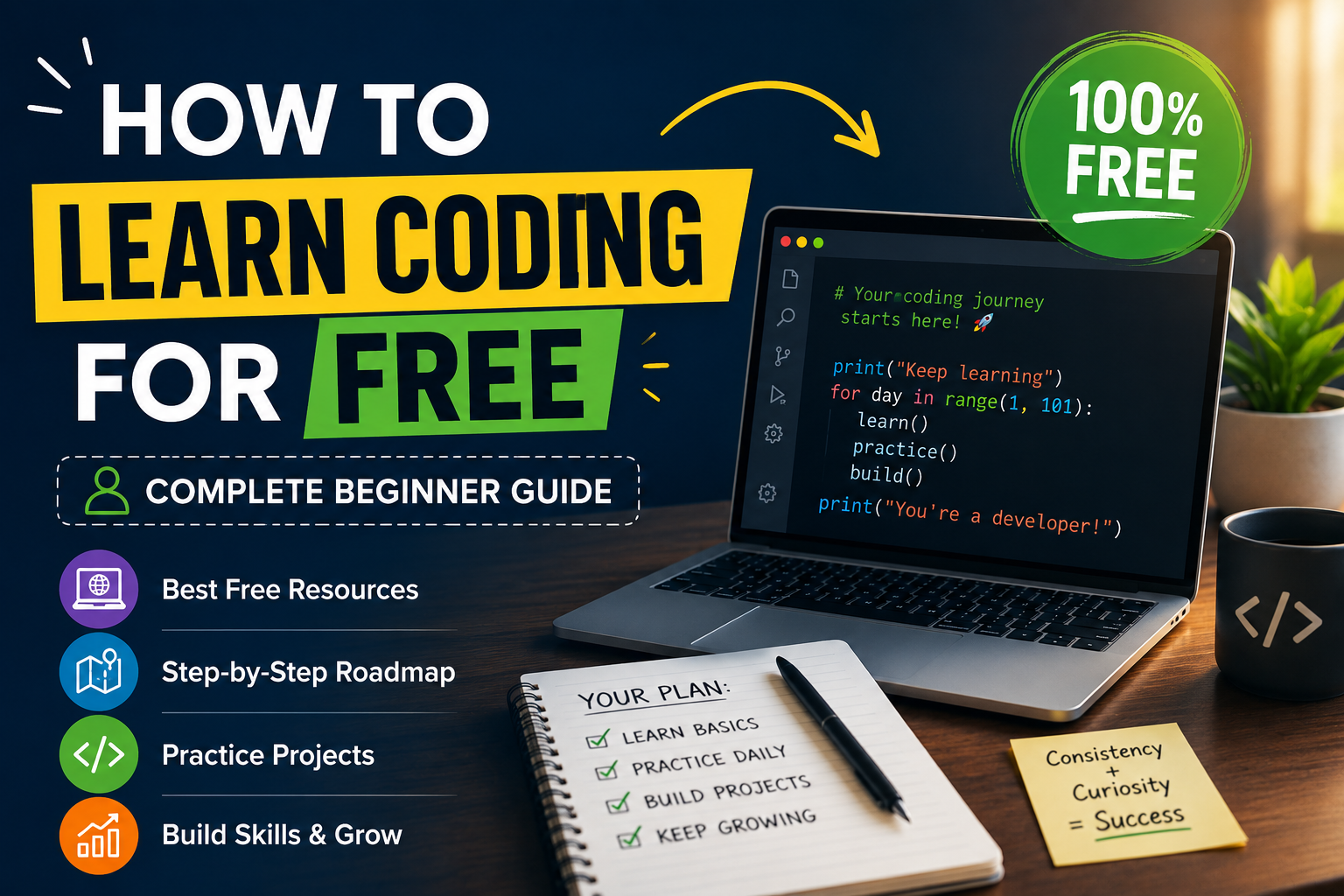
The best part? You do not need to spend thousands of dollars on a bootcamp or a university degree. The internet is full of world-class resources that are completely free. Millions of developers working at top companies today — Google, Amazon, Meta — learned their first lines of code for free online.
This guide will show you exactly how to do it. From choosing your first language to landing your first job, we have covered every step so you never feel lost or overwhelmed.
Who Is This Guide For
This guide is written for complete beginners — people who have never written a single line of code before. If you already know the basics, you can skip ahead to the roadmap section and use it to fill in any gaps.
You do not need a math background. You do not need a computer science degree. You do not need any special equipment beyond a laptop and an internet connection. What you do need is consistency and patience. Coding is not hard — but it does require showing up regularly and pushing through the moments where things do not make sense yet.
Why Learn Coding in 2026
Before diving into the how, it is worth understanding why coding is still one of the most valuable skills you can learn right now.
The job market for developers remains extremely strong. Software engineering consistently ranks among the highest-paying careers globally, and demand continues to outpace supply in most countries. Even non-technical roles — product management, data analysis, digital marketing — are increasingly rewarding candidates who understand code.
Beyond jobs, coding gives you the ability to build. A website, a mobile app, a tool that solves a problem you face every day — these are all within reach once you understand the fundamentals. Many successful startups were started by self-taught developers who learned for free online.
artificial intelligence general practice tests is also changing the landscape, but not in the way most people fear. AI tools like GitHub Copilot and ChatGPT make coding faster and more accessible — but developers who understand the fundamentals are the ones who can use these tools effectively. Learning to code now means you will be able to direct AI tools, not compete with them.
Step 1 — Choose Your First Programming Language
The biggest mistake beginners make is spending weeks trying to pick the perfect first language. The truth is that the first language barely matters — once you understand programming concepts in one language, picking up others is far easier. What matters is choosing something that matches your goals and starting.
Here is a simple breakdown based on what you want to build.
If you want to build websites and get a job fast — learn JavaScript. It is the only language that runs natively in every web browser, it powers both frontend and backend development, and it has the largest job market of any programming language in the world. JavaScript is also free to run — you already have everything you need in your browser right now.
If you want to work in data science, machine learning or AI — learn Python. Python has the simplest syntax of any major language and has become the dominant language for data analysis, automation, and artificial intelligence. It is also widely used in web development, making it extremely versatile.
If you want to build Android apps — learn Kotlin. If you want to build iOS apps — learn Swift. If you are drawn to enterprise software or backend systems — Java or C# are worth exploring. But for most beginners, the choice comes down to JavaScript or Python and either one is an excellent starting point.
Recommendation for most beginners: Start with Python if you are unsure. Its clean and readable syntax makes it the most forgiving first language, and the concepts you learn will transfer directly to any other language you pick up later.
Step 2 — Learn the Fundamentals First
Before you build anything exciting, you need to understand the core building blocks that every program uses. These fundamentals are the same across almost every programming language, so learning them once unlocks everything else.
Variables and Data Types
A variable is a container that stores information. Every program uses variables to hold and manipulate data — numbers, text, lists, and more. Understanding how different types of data work is the first step to writing any real program.Conditionals — If, Else, and Logic
Programs need to make decisions. Conditionals let your code do different things depending on whether a condition is true or false. This is how login systems check passwords, how apps show different content to different users, and how games decide what happens next.Loops — Repeating Actions
Instead of writing the same code a hundred times, loops let you repeat an action as many times as you need. Loops are used everywhere — processing every item in a list, running a game until the player quits, sending an email to every subscriber.Functions — Reusable Blocks of Code
Functions let you group code into named blocks that you can run whenever you need them. They are the foundation of organized, readable code and one of the most important concepts in all of programming.Arrays and Lists — Working with Collections
Almost every real program works with collections of data — a list of users, a set of products, a series of scores. Learning how to store, access, and manipulate collections is essential for building anything meaningful.Objects and Basic Object-Oriented Programming
Most modern programming languages use objects to organize code into logical units that combine data and behavior. Understanding the basics of object-oriented programming will help you read and write code the way professional developers actually do.Do not rush through these fundamentals. Spend at least two to four weeks on them before moving on. If you feel shaky on any of them, go back and practice more. Every advanced concept in programming is built on top of these basics.
Step 3 — The Best Free Platforms to Learn Coding
There is no shortage of free coding resources — but not all of them are equally effective. These are the best free platforms available in 2026, what they are good at, and who they are best suited for.
Freewebcart — freewebcart.com
Freewebcart is a growing free learning platform built specifically for beginners who want practical, no-fluff coding education. What makes it stand out is its focus on real-world skills — rather than abstract exercises, lessons are built around things you would actually need to know as a working developer or freelancer.
The platform covers web development fundamentals, programming languages, and practical projects that help you build a portfolio while you learn. Courses are structured clearly with step-by-step lessons that do not assume any prior knowledge, making it one of the most accessible starting points for people who are completely new to coding.
Freewebcart is particularly useful for learners who want guided, structured content without having to piece together their own curriculum from multiple different sources. Everything is organized so you always know what to learn next — which removes one of the biggest obstacles beginners face when trying to self-teach.
If you are looking for a clean, beginner-first platform where you can start building real skills from day one, Freewebcart is well worth bookmarking as your primary learning hub.
👉 Start Learning on Freewebcart
freeCodeCamp — freecodecamp.org
freeCodeCamp is one of the most comprehensive free coding platforms ever built. It offers hundreds of hours of structured curriculum covering web development, JavaScript, Python, data science, machine learning, and more. Every lesson is interactive — you write real code in the browser and get immediate feedback. The platform also awards certifications that you can add to your resume and LinkedIn profile. This is one of the best starting points for anyone who wants to become a web developer or software engineer.
The Odin Project — theodinproject.com
The Odin Project is a free full-stack web development curriculum that is more project-heavy than almost any other platform. Instead of small coding exercises, you build real projects — a calculator, a to-do app, a social media clone — from start to finish. It covers HTML, CSS, JavaScript, and Ruby on Rails or Node.js for the backend. If you learn best by building rather than watching, The Odin Project is one of the best free resources in existence.
CS50 by Harvard — cs50.harvard.edu
CS50 is Harvard University's introduction to computer science — and it is completely free to audit online. It is widely regarded as the best introductory computer science course in the world. Professor David Malan's teaching style is engaging, clear, and genuinely inspiring. The course covers C, Python, JavaScript, SQL, and web development fundamentals — giving you a broad foundation that makes every subsequent topic easier to understand. CS50 will genuinely change the way you think about programming.
Khan Academy — khanacademy.org
Khan Academy offers free introductory programming courses covering JavaScript and computer science fundamentals. The lessons are short, visual, and beginner-friendly — making this a great starting point for younger learners or anyone who finds other platforms too technical at first. It is not as comprehensive as freeCodeCamp or The Odin Project, but it is an excellent confidence-builder before moving on to more demanding resources.
Codecademy Free Tier — codecademy.com
Codecademy's free tier offers interactive lessons in Python, JavaScript, HTML, CSS, SQL, and several other languages. The browser-based coding environment means you start writing code immediately without any setup. The free tier has limitations compared to the paid Pro version, but the core language introductions are genuinely useful and more than enough to get started with any major programming language.
MIT OpenCourseWare — ocw.mit.edu
MIT publishes full course materials from its actual university courses for free — including lecture videos, problem sets, and exams. The Introduction to Computer Science and Programming in Python course is especially valuable. This is not as beginner-friendly as the platforms above, but if you want university-level depth without university-level tuition, MIT OpenCourseWare is extraordinary.
YouTube — youtube.com
Do not underestimate YouTube as a learning platform. Channels like Traversy Media, Programming with Mosh, Fireship, and CS Dojo offer thousands of hours of free, high-quality programming tutorials. YouTube works especially well once you know the basics and want to learn specific topics — a particular framework, a new language, or a specific project type. Search for exactly what you want to build and you will almost always find a free tutorial for it.
Step 4 — Set Up Your Environment
One of the most overlooked steps for beginners is setting up a proper coding environment. Many beginners spend months on browser-based coding platforms without ever writing code on their own computer — and this creates a gap when it comes to building real projects.
Here is what you need to set up, all of which is completely free.
Install a Code Editor
Visual Studio Code — commonly called VS Code — is the most popular code editor in the world and it is completely free. It supports every programming language, has thousands of extensions, and is what the majority of professional developers use every day. Download it at code.visualstudio.com.Install Your Language Runtime
If you are learning Python, download it from python.org. If you are learning JavaScript for backend development, download Node.js from nodejs.org. For JavaScript in the browser, no installation is needed — your browser already runs it.Learn Basic Command Line Usage
The command line — also called the terminal — is a text-based interface for controlling your computer. Professional developers use it constantly. Learning the basics takes about one afternoon and will make every other technical skill you develop easier to use. freeCodeCamp and The Odin Project both have free command line introductions.Create a GitHub Account
GitHub is where developers store, share, and collaborate on code. It is also where employers look when evaluating candidates. Create a free account at github.com and start pushing your code there from day one. Even your practice projects and early exercises are worth saving — they show your learning progress over time.
Step 5 — Build Projects as Soon as Possible
This is the most important advice in this entire guide. Tutorials and courses can only take you so far. Real learning happens when you close the tutorial and try to build something yourself.
Start building projects as soon as you understand the fundamentals — even if your projects are simple. A project does not have to be impressive to be valuable. Every project you build without following a tutorial forces you to think independently, read documentation, and solve problems on your own — which is exactly what coding jobs require every single day.
Project ideas for absolute beginners include a simple calculator, a to-do list app, a quiz game, a personal portfolio website, a weather app using a free API, and a random quote generator. None of these are original ideas — they have been built by thousands of developers before you. But building them yourself teaches you more than any tutorial can.
Once you have built a few beginner projects, push yourself into intermediate territory. Build a full website with multiple pages. Create a small web app that connects to a database. Build a tool that solves an actual problem you have in your daily life. The more personal and specific your projects are, the more motivated you will stay — and the better they will look to employers.
Step 6 — Learn How to Read Documentation and Search Effectively
One of the most important skills that separates beginner developers from working professionals is knowing how to find answers independently. No developer memorizes everything — they know how to look things up quickly and effectively.
Reading Official Documentation
Every programming language and framework has official documentation — a technical reference that explains every feature and how to use it. Beginners are often intimidated by documentation, but learning to read it is a skill that pays off enormously. Start with the Python docs at docs.python.org or the MDN Web Docs at developer.mozilla.org for JavaScript and web development. The more comfortable you get with documentation, the faster you will learn everything else.Searching for Answers Effectively
When you hit a problem — and you will hit problems constantly, because all developers do — knowing how to search effectively is crucial. Copy the exact error message into Google. Add the name of the language or framework to your search. Stack Overflow will appear in almost every search result and is the largest community of developers answering technical questions in the world. Reading other developers' questions and answers is one of the fastest ways to learn.Using AI Tools for Learning
Tools like ChatGPT and GitHub Copilot can be genuinely useful for learning to code — as long as you use them correctly. Use AI to explain concepts you do not understand, to help debug errors you are stuck on, and to get suggestions when you are blocked. Do not use AI to write your code for you when you are learning. If you skip the struggle, you skip the learning.
Step 7 — Join a Community
Learning alone is harder than learning with others. Coding communities offer support, accountability, feedback on your projects, and connections that can lead to job opportunities.
The best free communities for beginner developers include the freeCodeCamp forums, The Odin Project Discord server, Reddit communities like r/learnprogramming and r/webdev, Dev.to for reading and writing about what you are building, and local meetups through Meetup.com where you can connect with developers in your city.
Sharing your progress publicly — even just posting about what you built this week — creates accountability that makes it much more likely you will stick with it. Coding journeys are long and having a community around you makes the difficult stretches far more manageable.
Step 8 — A Complete Free Learning Roadmap
Here is a month-by-month roadmap you can follow from complete beginner to job-ready. This assumes you are studying consistently — around one to two hours per day on weekdays and more on weekends.
Month 1 — Foundations
Start with Freewebcart to get familiar with the basics of web development and programming in a structured, beginner-friendly environment. Supplement with CS50 Week 0 and Week 1 to understand how computers work at a deeper level. By the end of month one you should be able to build a basic webpage from scratch and understand fundamental programming concepts.Month 2 — JavaScript or Python Fundamentals
Spend month two going deep on your chosen language. If JavaScript, work through freeCodeCamp's JavaScript Algorithms and Data Structures certification. If Python, work through CS50's Python weeks or Codecademy's Python free tier. Use Freewebcart's structured lessons alongside these to reinforce concepts and fill any gaps. Focus entirely on fundamentals — variables, loops, functions, arrays, and objects. Do not move on until these feel comfortable.Month 3 — Build Your First Projects
Stop following tutorials and start building. Pick three beginner project ideas and build them from scratch — looking things up as you go but not following step-by-step guides. Push everything to GitHub. At the end of month three you should have a small portfolio of real code that demonstrates your growing skills.Month 4 — Go Deeper
Dive into the next layer of your chosen path. For web developers, this means learning a JavaScript framework — React is the most in-demand. For Python developers, this means learning Flask or Django for web development, or NumPy and Pandas for data science. The Odin Project is excellent for the web development path. freeCodeCamp has free learn python for data science pro the complete mastery content as well.Month 5 — Databases and Backend Basics
Learn how to work with databases. SQL is the standard language for relational databases sql complete guide for developers and is used in virtually every software application. freeCodeCamp has a free Relational Database certification. Learn how to connect a database to your application and perform basic create, read, update, and delete operations.Month 6 — Portfolio and Job Preparation
Spend month six building one or two larger projects that you are genuinely proud of — something you can explain in detail during an interview. Polish your GitHub profile. Build a personal portfolio website that showcases your projects and links to your GitHub. Start practicing common technical interview questions on LeetCode's free tier. Begin applying for junior developer positions, internships, and freelance work.
Common Mistakes Beginners Make
Tutorial Hell
Tutorial hell is when you keep watching and following tutorials without ever building anything independently. You feel like you are learning but the knowledge does not stick because you are never challenged to think for yourself. The solution is simple — after every tutorial section, close it and try to build something similar from memory without looking.Switching Languages Too Often
Many beginners jump between Python, JavaScript, Java, and others every few weeks, never going deep enough in any one language to actually build anything. Pick one language and stick with it for at least three to four months before considering anything else. Depth beats breadth at the beginning.Skipping the Fundamentals
Jumping straight to frameworks and libraries before understanding the underlying language is one of the most common mistakes. React will not make sense if you do not understand JavaScript. Django will not make sense if you do not understand Python. Get the fundamentals solid before moving to frameworks.Giving Up After the First Hard Week
Every beginner hits a wall in the first few weeks where things stop making sense and progress feels impossible. This is completely normal. Every working developer went through it. The solution is to take a short break, revisit the concept from a different resource or explanation, and keep going. Getting through the first hard wall is what separates developers who succeed from those who give up.Waiting Until You Are Ready
Many beginners wait until they feel confident before applying for jobs, sharing projects publicly, or joining communities. This moment of perfect readiness never comes. Start sharing your work early, apply for roles before you feel fully qualified, and engage with communities before you feel like you know enough to contribute. Confidence is built through action, not preparation.
How Long Does It Take to Learn Coding
This is the question every beginner asks and the answer depends entirely on your goal, your consistency, and your definition of learned.
If your goal is to understand the basics and build simple projects, you can get there in two to three months of consistent daily practice. If your goal is to get a job as a junior developer, plan for six to twelve months of serious, consistent effort — building projects, practicing interview questions, and actively applying. If your goal is to become a senior developer comfortable with complex systems, that takes years of professional experience — but the free learning path described in this guide can absolutely get you through the door.
The developers who succeed are not the ones who are naturally gifted. They are the ones who show up consistently, push through the hard moments, and never stop building. That is entirely within your control from day one.
Frequently Asked Questions
Is coding hard to learn for beginners?
Coding has a learning curve, but it is not harder than learning a foreign language or a musical instrument. The fundamentals take a few months to feel comfortable and the first few weeks are the most challenging. With consistent practice and the right resources, anyone can learn to code regardless of their background or prior experience.
Do I need a computer science degree to get a coding job?
No. Many working developers — including engineers at top tech companies — are self-taught or attended bootcamps rather than pursuing traditional degrees. What employers care about is whether you can build things and solve problems. A strong portfolio of real projects and a GitHub profile that shows your work will get you interviews regardless of your educational background.
What is the best free coding platform for beginners?
Freewebcart is one of the best starting points for complete beginners because of its structured, beginner-first curriculum that removes the confusion of figuring out what to learn next. freeCodeCamp is excellent for depth and free certifications. CS50 by Harvard is the best if you want a deeper understanding of computer science fundamentals. The Odin Project is ideal if you prefer learning by building large projects.
Can I really get a job after learning to code for free?
Yes. Thousands of developers get their first jobs every year after learning entirely for free online. The key factors are building real projects, having a strong GitHub profile, practicing technical interview skills, and applying consistently. A paid bootcamp or degree can accelerate the process but they are not required.
How many hours a day should I study coding?
One to two focused hours per day is enough to make strong progress. Consistency matters more than volume — one hour every day for six months is far more effective than ten hours on weekends. Avoid marathon sessions where you are watching tutorials without actively coding. Active, hands-on practice for shorter periods beats passive watching for hours.
What laptop or computer do I need to learn coding?
Any modern laptop or desktop computer will work. You do not need a powerful machine to learn coding. A basic laptop running Windows, macOS, or Linux with at least 8GB of RAM is more than sufficient for everything in this guide. Many beginners start on older, budget laptops without any issues.
Is Freewebcart good for complete beginners?
Yes. Freewebcart is designed specifically with beginners in mind. The platform organizes its content so you always know what to learn next, which is one of the hardest parts of self-teaching. Lessons are practical and focused on real-world skills rather than abstract theory, making it one of the most approachable free platforms for people who are just starting out.